Product Description
Product information:
Specifications
Battery type: Polymer lithium battery
Battery capacity: 1800mAh
Handle battery usage time: approximately 36 hours
Charging current: Helmet: maximum 1.4A Handle: maximum 500mA
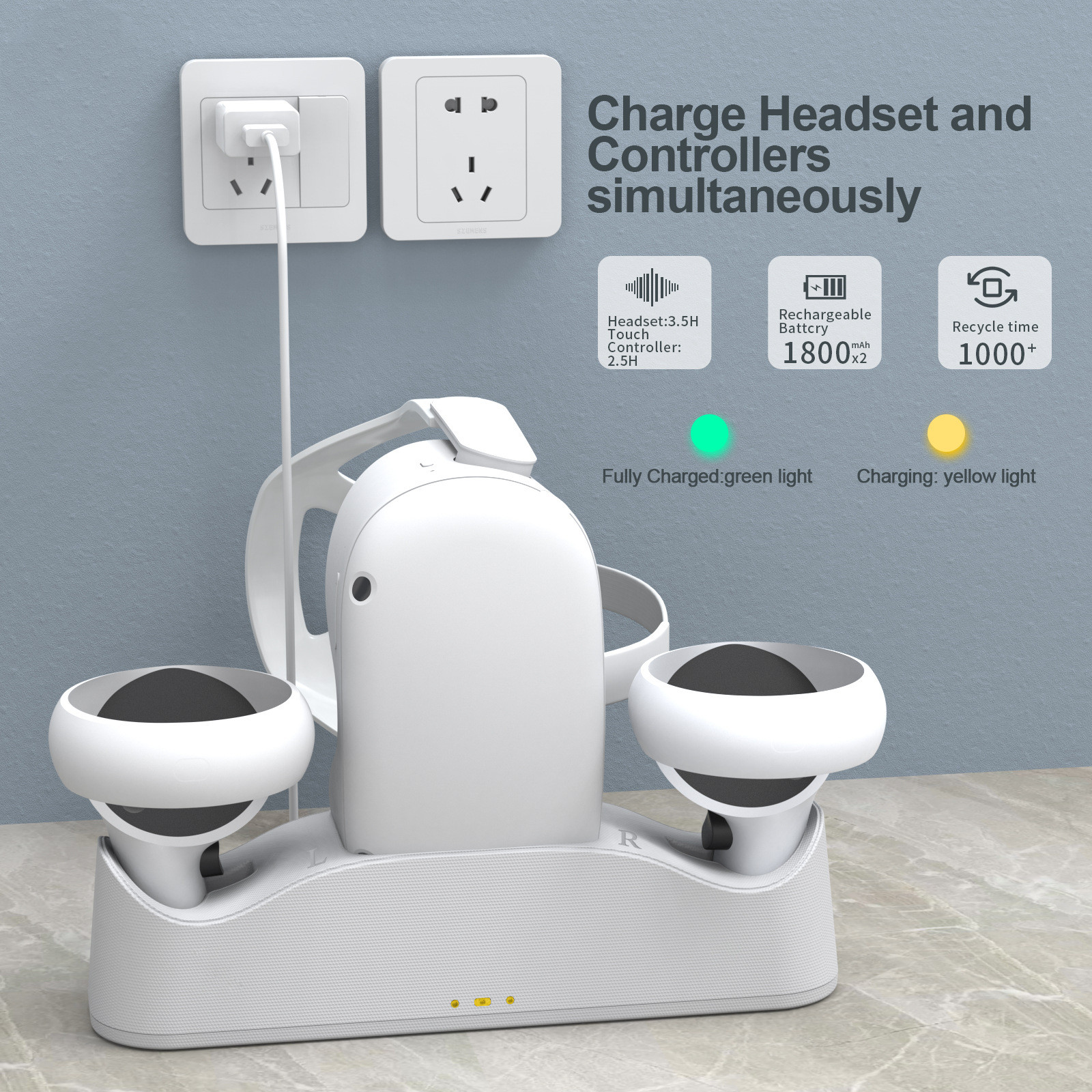
Charging time: Helmet: approximately 3.5 hours Handle: approximately 2.5 hours
Seat charging indicator light:
*Standby mode: green light
*Charging: yellow light
*Full: Green light
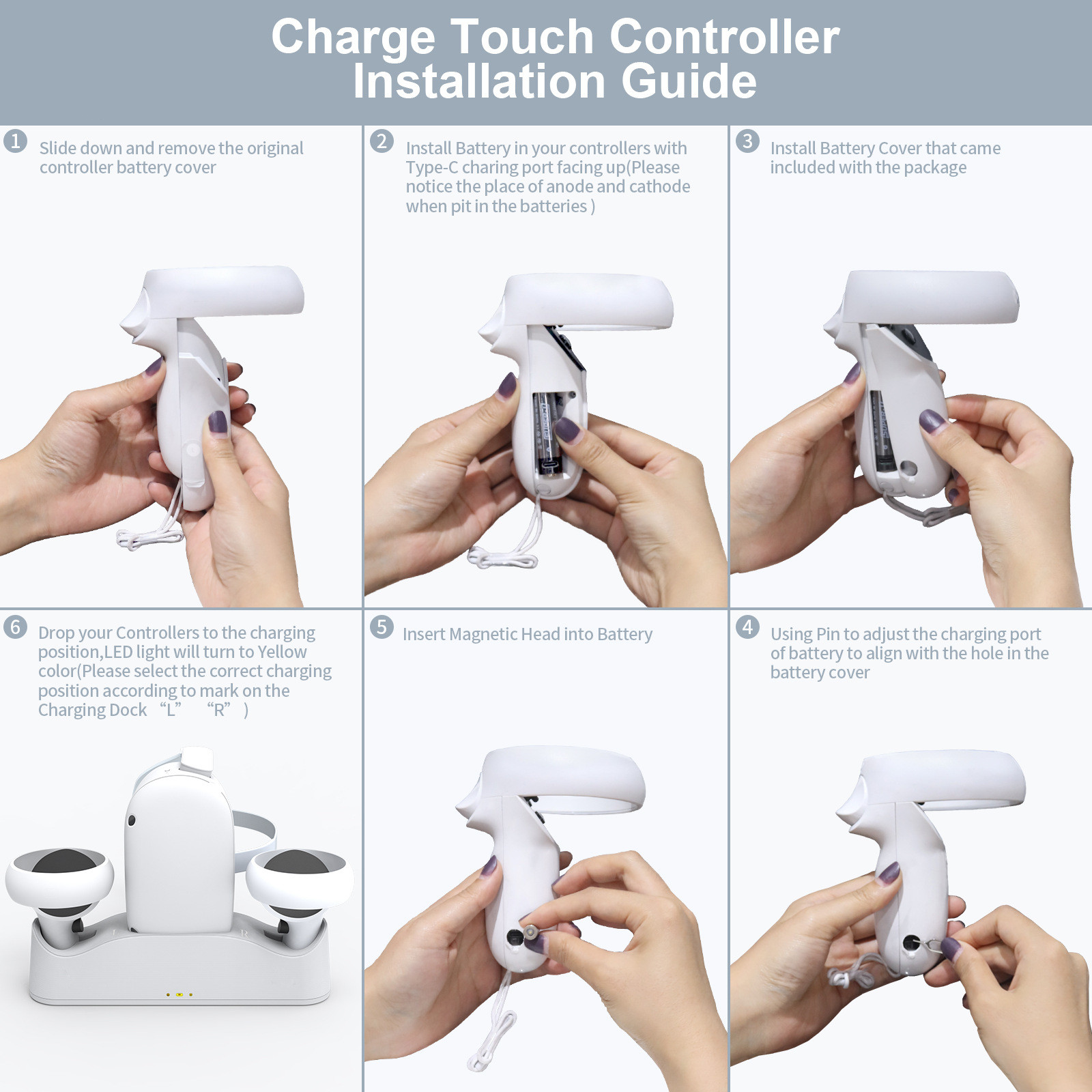
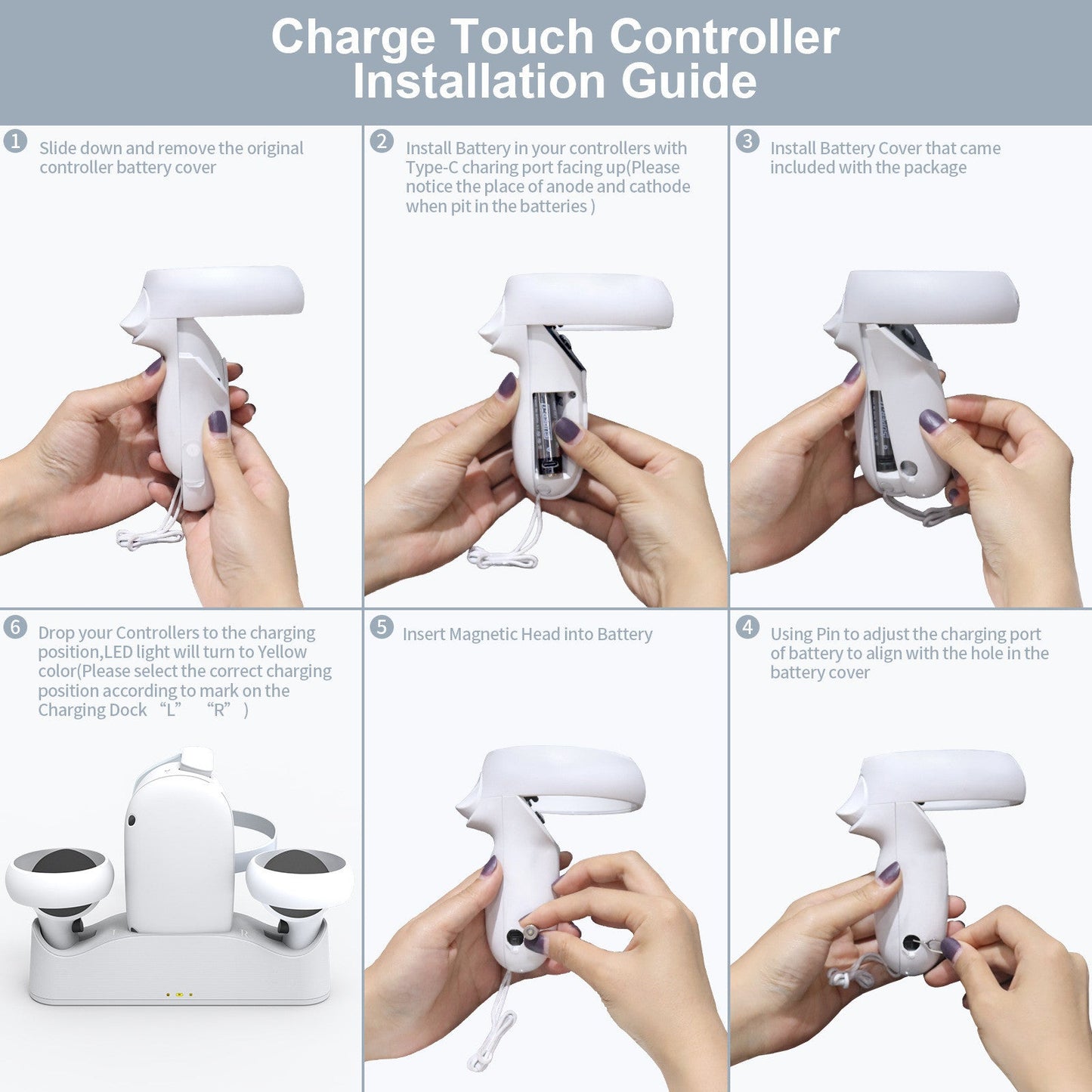
Steps for charging the controller
1. Connect a 5V2A or higher charger to the charging dock (not included in this package, customers need to purchase it separately). The charging dock will light up green and enter the power on standby mode
2. Slide the battery cover of the handle downwards and remove the battery cover
3. Please ensure that the C-type charging port of the battery is facing upwards as much as possible during installation
4. Install the battery cover provided in this package onto the handle
5. Adjust the Type-C charging port of the battery to align with the hole on the battery cover using the needle provided in this package
6. Insert the magnetic suction head into the Type-C charging port of the battery through the hole on the battery cover
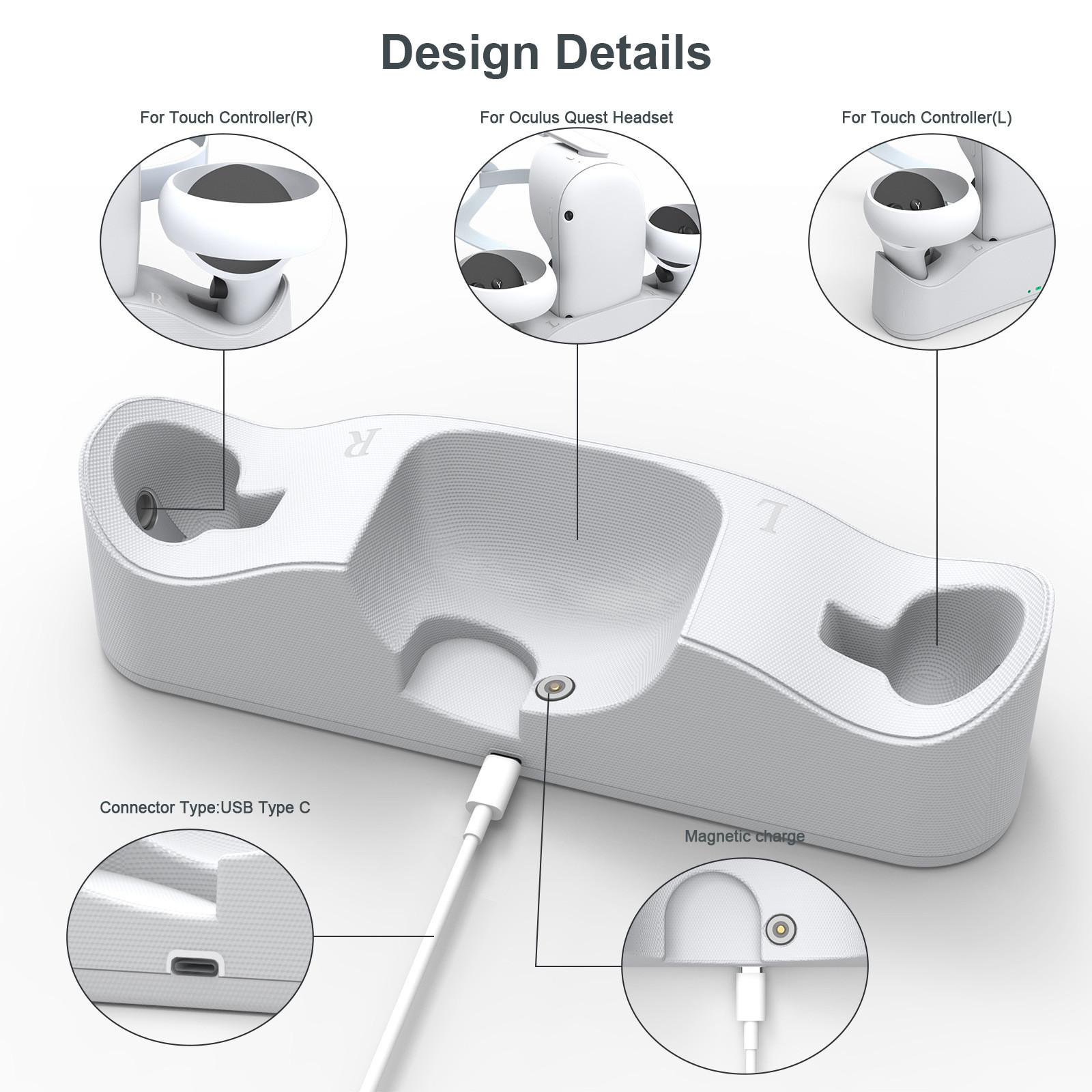
7. Place the handle into the corresponding charging position of the charging dock to allow the magnetic suction head to come into contact for charging
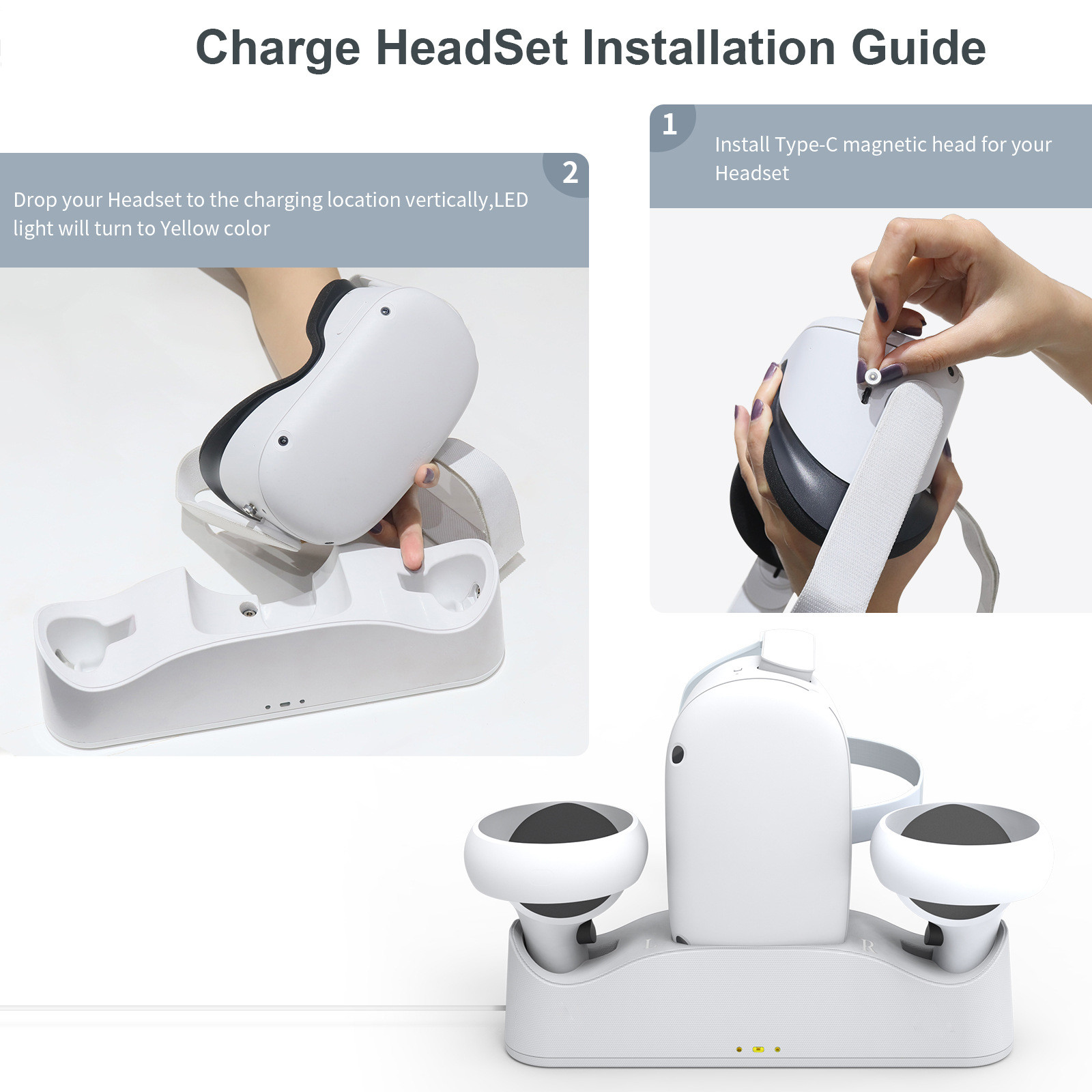
At the beginning, the LED indicator light of the seat charger will turn yellow (please note that the handle has a left and right distinction, please place the handle according to the "L" and "R" markings on the seat charger)
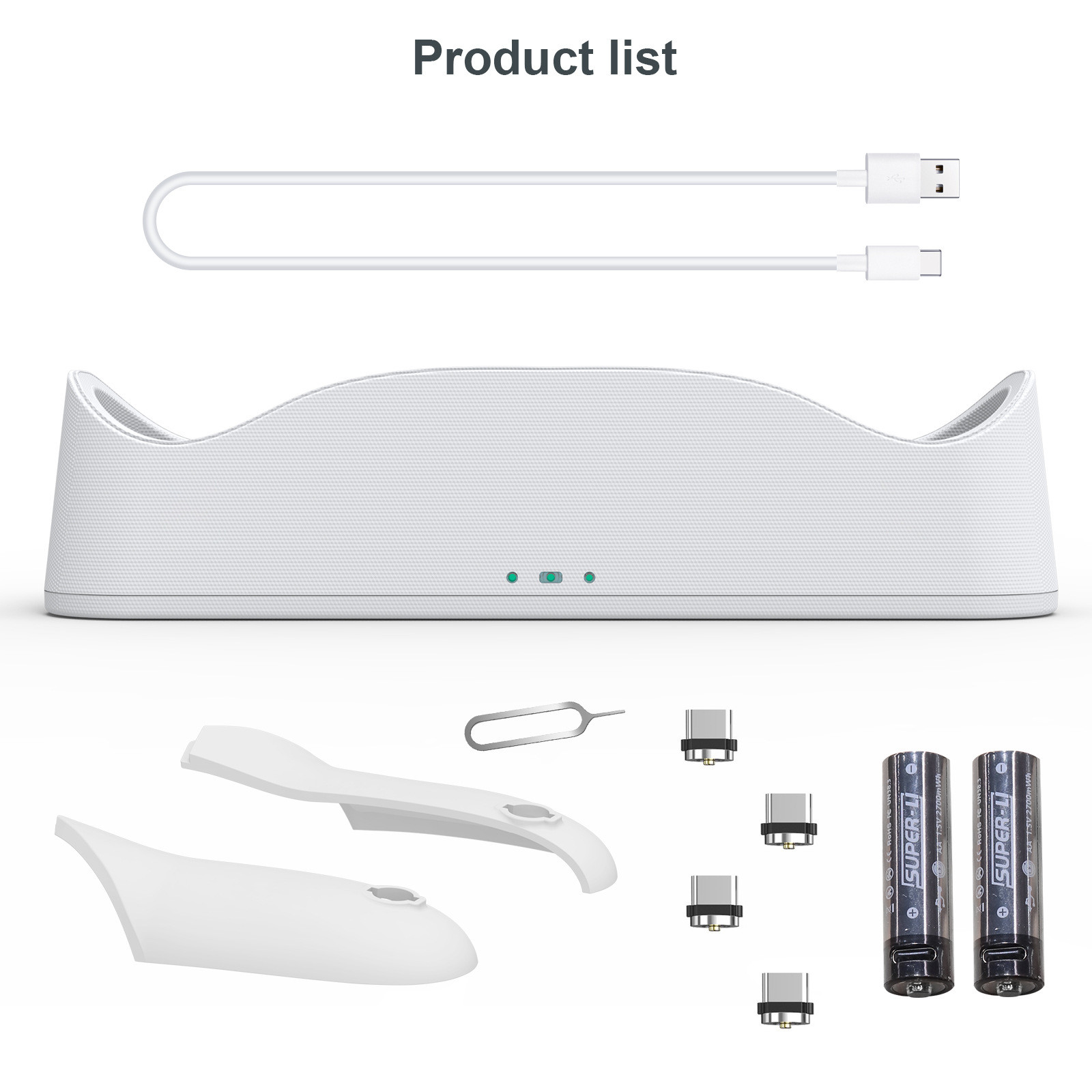
Packing list:
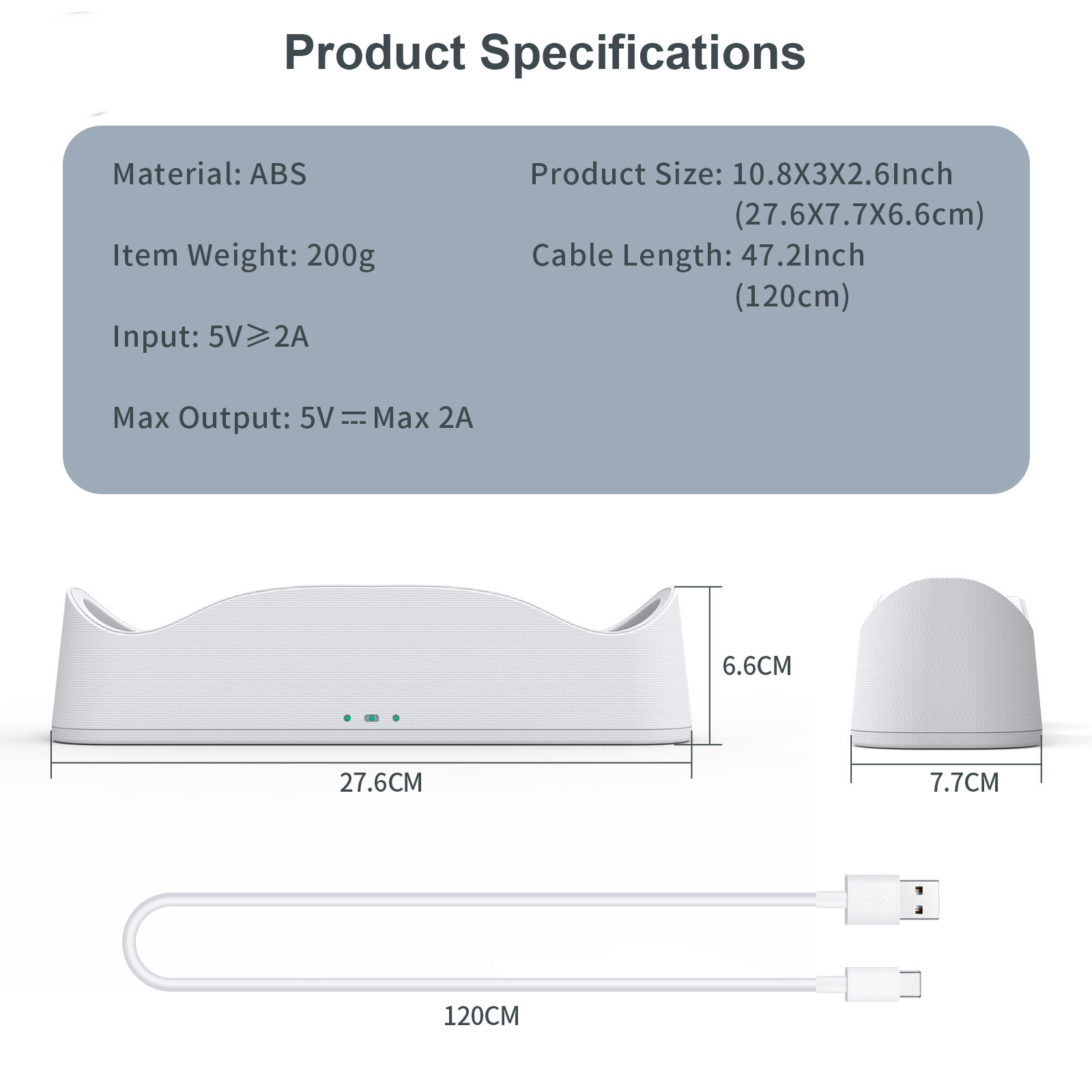
Charging dock X1 Battery X2 Battery cover X2 USB Type C magnetic suction head...... X4 Magnetic suction head removal needle X1 1.2 meter charging wire...... X1 User Manual X1
Product Image: