Product Description
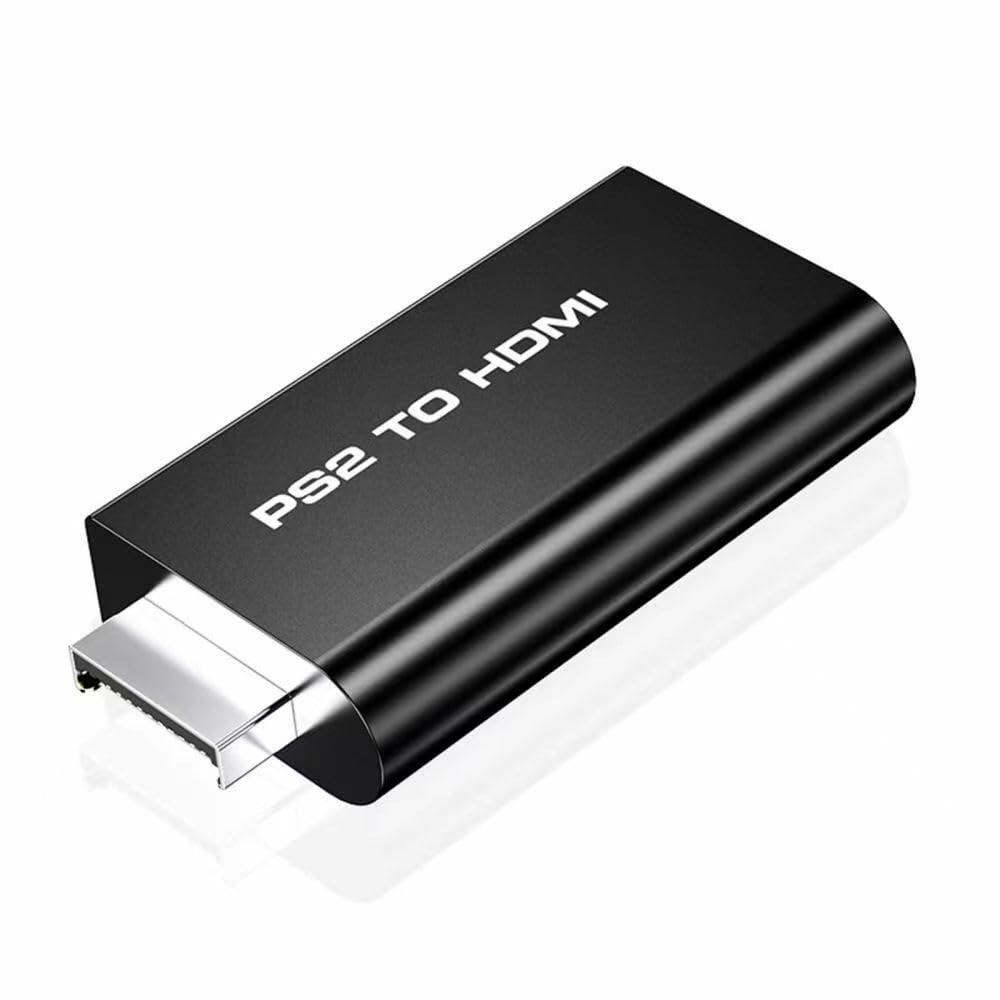
PS2 to HDMI converter helps you connect your classic PS2 console to your modern HDTV or HDMI monitors. It supports all PS2 display modes 480i, 576i, 480p. Now regain the fun of your favorite PS2 games in a new way.
HOW TO USE:
1.Connect your HDMI cable from your TV to the PS2-to-HDMI converter unit. Connect the PS2-to-HDMI converter unit to the PS2 output. Connect the supplied USB cable from the PS2-to-HDMI converter unit to the PS2 or a USB wall adapter. The USB cable and connection provide 5V power to the unit.
2.The PS2 must setup for Component Video Output (Y Pb Pr) as opposed to RGB output. If you can't see anything on your TV when using this, you probably need to go into the Configuration Settings (load PS2 without a disc) and scroll through the options to change this.
Features:
1. Audio and video synchronization input.
2.The HDMI output supports HDTV high definition TV or monitor, projector, etc;
3.Plug and play, no need to drive;
4. Supports all PS2 display modes;
5.No external adapter required, only PS2 USB port must supply 5V.
Description of interface introduction:
(1) AUDIO---analog audio output interface, connect headphones or active speakers.
(2) HDMI output ------- Connect HDMI output interface, HDMI TV or monitor.
(3) USB/5V input -------USB5V power supply input interface, connect to PS2 USB interface.
(4) PS2 Ypbpr input --- PS2 color difference input interface, connection to PS2 device.
Package Included:
1X PS2 to HDMI Video Converter
1X HDMI Cable
1X 3.5mm Audio Cable
HOW TO USE:
1.Connect your HDMI cable from your TV to the PS2-to-HDMI converter unit. Connect the PS2-to-HDMI converter unit to the PS2 output. Connect the supplied USB cable from the PS2-to-HDMI converter unit to the PS2 or a USB wall adapter. The USB cable and connection provide 5V power to the unit.
2.The PS2 must setup for Component Video Output (Y Pb Pr) as opposed to RGB output. If you can't see anything on your TV when using this, you probably need to go into the Configuration Settings (load PS2 without a disc) and scroll through the options to change this.
Features:
1. Audio and video synchronization input.
2.The HDMI output supports HDTV high definition TV or monitor, projector, etc;
3.Plug and play, no need to drive;
4. Supports all PS2 display modes;
5.No external adapter required, only PS2 USB port must supply 5V.
Description of interface introduction:
(1) AUDIO---analog audio output interface, connect headphones or active speakers.
(2) HDMI output ------- Connect HDMI output interface, HDMI TV or monitor.
(3) USB/5V input -------USB5V power supply input interface, connect to PS2 USB interface.
(4) PS2 Ypbpr input --- PS2 color difference input interface, connection to PS2 device.
Package Included:
1X PS2 to HDMI Video Converter
1X HDMI Cable
1X 3.5mm Audio Cable
FEATURES
- 【PS2 To HDMI Audio Converter】Outputs Video and Audio in Full Digital HDMI Format, Support Connect HDTV, HDMI Monitor, Projector and so on. No Transmission Loss.
- 【Easy to USE】Plug and play, no need to install driver. PS2 USB port need provide 5V power supply, no need external adapter. Audio and Video Sync Output 3.5mm audio output, can be independently connected to headphones and audio.
- 【High Performance Game Experience】With brand new decoder chip, advanced signal processing with great precision, colors and resolution will be provided.The picture is exquisite and stable with no blurring,no fuzzy lines or lag, which ensures you a better game experience.
- 【Supports All PS2 Display Modes】480i, 576i, 480p. Only support converting Y Pb Pr Y Cb Cr signal(not support CVBS) to HDMI, video and audio sync output.Must set PS2 to Y Pb Pr Y Cb Cr output before using, or you will see out of range.
- 【Packaging Includes】1x PS2 to HDMI adapter converter, 1x HDMI cable, 1x3.5mm audio Cable.