Product Description
Technical Parameters:
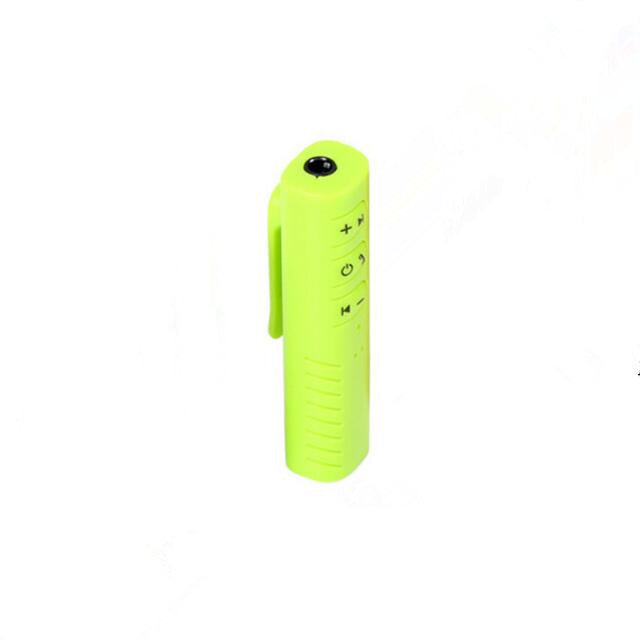
1. Bluetooth V4.1+EDR, the longest transmission distance is 10m
2. Support Bluetooth hands-free calling function
3. Support Bluetooth A2DP
4. Frequency: 2.4GHz
5. 3.5mm stereo input jack
6. Sleep mode, energy saving
7. Power: Charging with a mini USB cable
8. Working time: can work continuously for 3-5 hours
Packaging accessories:
1.Bluetooth music receiver
2. USB cable
3.3.5 metal head
4. Instruction manual
Charging:
1. Connect one end of the supplied USB cable to the mini-USB input of this Bluetooth music receiver.
2. Connect the other end of the USB cable to your computer, laptop or USB power converter. The LED light of the Bluetooth music receiver turns red to indicate that it is charging.
3. When charging is complete, the red LED will go out.
paired:
1. Enter pairing mode, press and hold the switch button for 5 seconds until the red and blue LEDs flash simultaneously
2. Find this Bluetooth music receiver on your phone or related transmitter
3. At this point, the device is paired and connected. After the connection is successful, the LED light of the Bluetooth music receiver turns blue and flashes slowly.
4. For some devices that require a pairing password, enter "0000"
5. Once the pairing is successful, the device can be powered off, and the next connection does not need to be re-paired.
If it has been paired:
1. Power on: Press and hold the switch button on the Bluetooth music receiver for 3 seconds until the LED light turns blue and flashes to complete the boot.
2. Shutdown: Press and hold the switch button for 5 seconds. At this time, the red LED lights up and then turns off.
Note: Please read your transmitter or mobile phone manual carefully to find out how to use its Bluetooth wireless technology;
If you want to use this Bluetooth music receiver to connect to other phones or senders, you must re-pair.
play music:
1. Connect this Bluetooth music receiver to your home stereo or car stereo using the supplied audio cable and connector
2. Please confirm that the transmitter (Bluetooth audio receiver, mobile phone, or other related device) is turned on and paired with the Bluetooth music receiver, and the device is within 10m.
3. At this time, music will be played and the music will be wirelessly transmitted to the Bluetooth music receiver via Bluetooth.
Note: If you can't listen to music:
a) Make sure your stereo system is connected to the Bluetooth music receiver
b) Check to make sure your audio volume is not set to minimum or muted.
Handsfree:
1. When your phone uses the Bluetooth microphone by default, you can use the built-in MIC to make hands-free calls when you have a phone connection.
2. When the mobile phone calls, press the key once to answer the voice call.
3. After the call is completed, the status before the phone is automatically cut
The indicator light shows:
1. Pair or establish a connection: the red and blue LEDs flash simultaneously
2. A connection is successful and playing: the blue LED flashes every 3 seconds
3. Sleep mode: blue LED flashes every 5 seconds
4. Charging: red LED light is on
5. Charging and connected: red LED flashes slowly
Troubleshooting:
The connection of the Bluetooth music receiver is based on the completion of the pairing, and the connection may be interrupted for several reasons:
The distance of the device exceeds the range of the Bluetooth connection, or there are other obstacles in the middle (such as: walls, furniture, etc.)
One or both of them have been turned off, or it may be because there is no electricity.
The connection is not made within the specified time, the device is in sleep mode or the power is off. Turn off the device and reconnect it. Follow these steps:
Restart the music receiver and transmitter
Reconnect after reboot, pair
Charge the music receiver and transmitter again