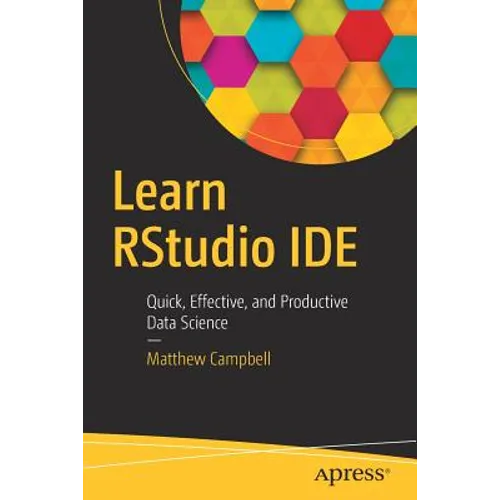
Product Description
by Matthew Campbell (Author)
Discover how to use the popular RStudio IDE as a professional tool that includes code refactoring support, debugging, and Git version control integration. This book gives you a tour of RStudio and shows you how it helps you do exploratory data analysis; build data visualizations with ggplot; and create custom R packages and web-based interactive visualizations with Shiny. In addition, you will cover common data analysis tasks including importing data from diverse sources such as SAS files, CSV files, and JSON. You will map out the features in RStudio so that you will be able to customize RStudio to fit your own style of coding.
Finally, you will see how to save a ton of time by adopting best practices and using packages to extend RStudio. Learn RStudio IDE is a quick, no-nonsense tutorial of RStudio that will give you a head start to develop the insights you need in your data science projects.
- Quickly, effectively, and productively use RStudio IDE for building data science applications
- Install RStudio and program your first Hello World application
- Adopt the RStudio workflow
- Make your code reusable using RStudio
- Use RStudio and Shiny for data visualization projects
- Debug your code with RStudio
- Import CSV, SPSS, SAS, JSON, and other data
Who This Book Is For
Programmers who want to start doing data science, but don't know what tools to focus on to get up to speed quickly.
Back Jacket
Discover how to use the popular RStudio IDE as a professional tool that includes code refactoring support, debugging, and Git version control integration. This book gives you a tour of RStudio and shows you how it helps you do exploratory data analysis; build data visualizations with ggplot; and create custom R packages and web-based interactive visualizations with Shiny. In addition, you will cover common data analysis tasks including importing data from diverse sources such as SAS files, CSV files, and JSON. You will map out the features in RStudio so that you will be able to customize RStudio to fit your own style of coding.
Finally, you will see how to save a ton of time by adopting best practices and using packages to extend RStudio. Learn RStudio IDE is a quick, no-nonsense tutorial of RStudio that will give you a head start to develop the insights you need in your data science projects.
- Quickly, effectively, and productively use RStudio IDE for building data science applications
- Install RStudio and program your first Hello World application
- Adopt the RStudio workflow
- Make your code reusable using RStudio
- Use RStudio and Shiny for data visualization projects
- Debug your code with RStudio
- Import CSV, SPSS, SAS, JSON, and other data
Author Biography
Matthew Campbell has worked on data visualization and dashboards with a data science team using RStudio. He got his start with technology after college when he learned SAS to do statistical programming at the Educational Testing Service (ETS). Learning this programming language kicked off a lifelong obsession with technology.