Product Description
by Nick Arthur (Author)
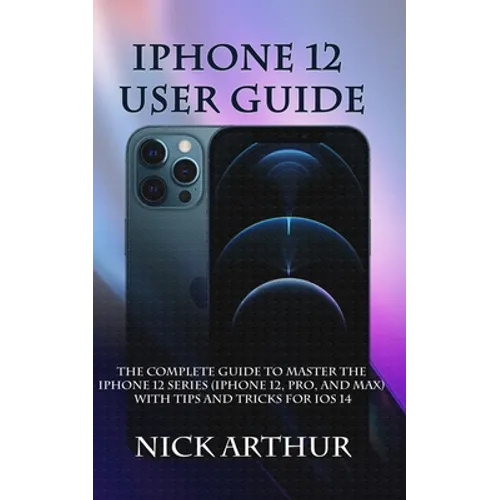
The complete step by step guide to master the iPhone 12 series.
The new iPhone 12 series (iPhone 12, iPhone 12 Pro and iPhone 12 Pro Max) is powered by the A14 Bionic processor, and runs on Apple's latest operating system (iOS 14). The combination of these makes it one of the fastest mobile devices out there.
Its cameras are all 12 megapixels each, with 3 of them at the rear, and one front camera. If you are looking for a device with great speed, camera performance and a wide range of daily functionality, the iPhone 12 is the device for you. It come with 5G functionality and a massive 120Hz refresh rate that eliminates any operational lag.
This manual will teach you how to use the iPhone 12, whether you are a new user or upgrading to iPhone 12, this guidebook will teach you all there is to know about the iPhone in an easy to follow, step by step manner.
Inside this book you will learn: -How to Transfer content from Android to iOS 14-How to manually migrate from Android to iOS-Manage Apple ID and iCloud on iPhone 12-How to Sign in/out of iCloud-How to use iCloud on iPhone 12-How to Wake and Unlock your iPhone-Changing the Screen Orientation on the iPhone 12-How to activate dark mode in iPhone 12-How to take screenshots and screen recording on iPhone 12-How to adjust the volume on iPhone 12-Learn the basic gestures to interact with the iPhone 12-Dark Mode-Contacts with memoji-Customize your emails-Scan documents-Full-screen capture-How to explore the home screen and open apps-Type and edit text on the iPhone 12-How to type faster with the on-screen keyboard-How you use predictive text on the iPhone 12-Save iPhone abbreviations and type faster-Faster typing: hold the iPhone sideways-How to edit texts quickly-Install keyboard app-iPhone dictation mode Activate and use-Using the iPhone 12 to search content-How to access the Screen Time feature on your iPhone 12-Setting up a personal screentime-How to charge and monitor the iPhone battery-How to Change Notification Settings-How to set up notification previews-How to activate the "Do not Disturb" mode-Activate Do Not Disturb with a specific selection-How to program automatic Do Not Disturb-How to Remove Apps from Home Screen-How to add widgets to Daily View-Start Siri on the iPhone 12-How to add Siri shortcuts-Using Siri in cars-How to correct Siri misunderstanding-How to set reminders-Create and Edit Events in Calendar on iPhone 12-How do create event invitations from your iPhone calendar-How to take pictures with the iPhone 12 Camera-How to activate Camera mode-How to activate night mode-How to take burst shots photos with your iPhone-How to activate multi-shot photos on iPhone-How to activate Live photos-How to Turn on HDR in your Camera App-How to shoot in HDR on your iPhone 12-How to adjust image brightness and Exposure-Choosing your preferred lenses-Use portrait mode for your portrait photos-Security and Privacy-Know when your camera or microphone is in use-Limit access to your photos and your location-Detect weak or corrupt passwords-Improve your Wi-Fi privacy-Limit your tracking by applications-Check Safari's privacy reports-And a lot more Scroll up and click the buy button to get your copy now