Skip to content
Welcome To Our Store.
100,000+ Products for Home, Medical, Office & Classroom Needs
Search
Skip to product information
1 of 1

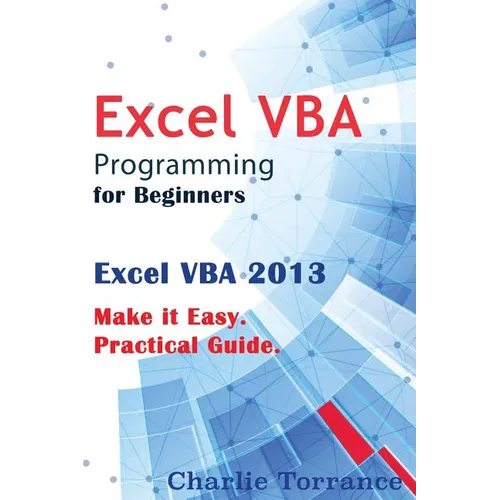
Excel VBA Programming for Beginners: Excel VBA 2013. Make it Easy. Practical Guide - Paperback

$10.78 USD
$10.78 USD
Sale Sold out
Shipping calculated at checkout.
In stock (100 units), ready to be shipped

Available Offers

Fastest Delivery Tomorrow With Vip DealOrder within 1 hr 8 mins.

Instant 10% Discount On HDFC Banks Credit/Debit Cards EMI and CreditCard

Secure checkout with
  • American Express
  • Apple Pay
  • Diners Club
  • Discover
  • Google Pay
  • Mastercard
  • PayPal
  • Shop Pay
  • Visa

Flight Range: Up to 1,000 meters (3,280 feet)

Maximum Speed: 45 kilometers per hour (28 miles per hour)

For all orders exceeding a value of 100USD shipping is offered for free.

Returns will be accepted for up to 10 days of Customer’s receipt or tracking number on unworn items. You, as a Customer, are obliged to inform us via email before you return the item.

Otherwise, standard shipping charges apply. Check out our delivery Terms & Conditions for more details.

View Product Details
Shopping cart
Product Product subtotal Quantity Price Product subtotal
Excel VBA Programming for Beginners: Excel VBA 2013. Make it Easy. Practical Guide - Paperback
$10.78/ea
$0.00
$10.78/ea $0.00

Product Description

by Charlie Torrance (Author)

This book is a guide on how to create VBA (Visual Basic for Applications) Macros with Microsoft Excel. The Author uses MS Excel 2013. You will learn how to set up everything and to access the VBA editor. You are then guided on how to use variables of different data types in VBA and arrays for storage and retrieval of data. The various operators which are supported in VBA have been discussed in detail. Functions and Subroutines have not been left out. You will know the difference between the them, how to use them and the suitable areas to apply each of them. With VBA, you can create macros capable of making decisions. This book guides you on how to use decision making statements in VBA. In VBA, you may need to work on a group of cells, particularly by applying a single action to a number of cells. This book guides you on how to use loops so as to achieve this. User forms in VBA have also been explored. You will know how to create user forms and use them to populate data in Excel. You are also guided on how to generate text files and write to them from Excel. The process of generating charts from Excel data in VBA has been discussed. Events, and the various error handling techniques in VBA have also been explored. The following topics have been discussed in this book: - Getting Started- Variables and Data Types- Arrays in VBA- Operators in VBA- Functions and Subroutines- Decision Making Statements and Loops in VBA- User Forms in VBA- Working with Text Files- Creating Charts- VBA Events- Error Handling in VB


Number of Pages: 138
Dimensions: 0.3 x 9 x 6 IN
Publication Date: June 12, 2017
you might like