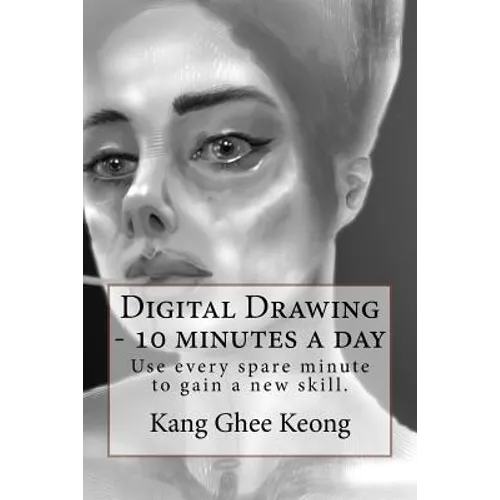
Product Description
by Ghee Keong Kang (Author)
Book that teaches beginners how to draw digitally. It encourages learners to use spare minutes every day to gain this skill. The foundations of drawing are taught in a systematic manner. Following the steps, it is possible to become an artist after repeated practise. With practise and time, the learner will definitely improve.
Below is the prologue from the book. Further down is the content page and parts of chapter 1.PROLOGUE This book was initially conceived as a record of my own learning journey. It morphed as I believe it is more useful to write in a manner that will help others. Now walk with me. Those who wish to draw confidently will find that the book has various nuggets of wisdom. I might have learned these the hard way, but you can learn from my hiccups to accelerate towards confidence. You do not need to own a computer nor even a phone, just plain old pencil and paper will suffice for drawing...but it helps to do so digitally. Tell you why in the first chapter. This book detours regularly to show you how I draw using my chosen tools, Microsoft Surface Pro and Autodesk Sketchbook Pro. These are purely my preferences, and my wife would say my indulgence, at the expense of the family coffers. Love you. Smooch. Thanks @StettafireZero from DeviantArt community for the suggestion to write a prologue. It does help to anchor my thoughts and ensure I write for the right learner. See you on DeviantArt. CONTENTS Begin with the end in mind
See shapes and then draw them
See shades and draw them
See shadows and ...
See negative space
Copy - creatively
Complex shapes
Composition
CHAPTER 1 - Begin with the end in mind If someone asks you to recommend them a drawing book, you would like them to thank you for recommending this one. So, my end in mind for this book, is for you to draw so well that someone beside you gets impressed, and asks you how you learned to draw. Shall we begin? To draw is to actually see first. You will find the next four chapters mostly about seeing. With your newfound eye, you can then train your hand to draw. In time, you can learn from the masters, copy their work creatively, see like they do and arrange objects beautifully on your own masterpiece. Tools
A Chinese saying, "If one wants to be good in a skill, one must sharpen the tools first." In learning to draw, there are many equipment that you can use. You need to know your options and eventually choose some. I will recommend this Autodesk Sketchbook Pro. It is simply convenient. No need to stock up on drawing pads, physical sketchbooks, pencils, pens, erasers, nor sharpeners. It runs on Microsoft Surface Pro, iPad, Android phone and even the iPhone Not that I never stocked up on traditional tools. I have loads of those. But eventually found that bringing just one tool really allowed me to travel light. It also suits my drawing habits, near electrical supply and creature comforts.: -P Just to share, I drew with traditional drawing tools and experimented digitally. Started with Paper by Fiftythree on an iPad. Just finger painting. Then bought a simple passive stylus, rubber tipped. Using a stylus afforded more accuracy when doing detailed work. Then an Adonit Jot Pro stylus. Tried other hardware, like my Samsung Android phones, HP touchscreen laptops, HP Envy 27 touchscreen computer, and finally Microsoft Surface Pro. Switched to free trial version of Autodesk Sketchbook. I eventually paid the annual subscription to use the Pro version with unlimited layers and full features. Read the book for options on traditional tools, modern hardware & software. ]
Number of Pages: 60
Dimensions: 0.16 x 9 x 6 IN
Publication Date: May 17, 2017