Skip to content
Welcome To Our Store.
100,000+ Products for Home, Medical, Office & Classroom Needs
Search
Skip to product information
1 of 1

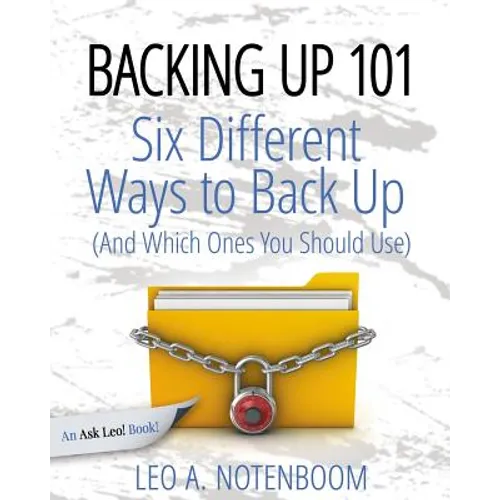
Backing Up 101: Six Different Ways to Back Up Your Computer (And Which Ones You Should Use) - Paperback

$13.46 USD
$13.46 USD
Sale Sold out
Shipping calculated at checkout.
In stock (100 units), ready to be shipped

Available Offers

Fastest Delivery Tomorrow With Vip DealOrder within 1 hr 8 mins.

Instant 10% Discount On HDFC Banks Credit/Debit Cards EMI and CreditCard

Secure checkout with
  • American Express
  • Apple Pay
  • Diners Club
  • Discover
  • Google Pay
  • Mastercard
  • PayPal
  • Shop Pay
  • Visa
  • Daily deals
  • Return policy
  • Payment method
  • Help center 24/7

Flight Range: Up to 1,000 meters (3,280 feet)

Maximum Speed: 45 kilometers per hour (28 miles per hour)

For all orders exceeding a value of 100USD shipping is offered for free.

Returns will be accepted for up to 10 days of Customer’s receipt or tracking number on unworn items. You, as a Customer, are obliged to inform us via email before you return the item.

Otherwise, standard shipping charges apply. Check out our delivery Terms & Conditions for more details.

View Product Details
Shopping cart
Product Product subtotal Quantity Price Product subtotal
Backing Up 101: Six Different Ways to Back Up Your Computer (And Which Ones You Should Use) - Paperback
$13.46/ea
$0.00
$13.46/ea $0.00

Product Description

by Leo a. Notenboom (Author)

Backups Confuse You? If the answer is a loud and resounding YES!, as it is for many people, then Backing Up 101 is for you. In plain English, Ask Leo!'s Leo Notenboom gives an overview of the back up landscape, detailing in story and description six different ways of backing up your data and your computer, including recommendations for when and when not to use each.

  • Do you know when no backup at all is appropriate?
  • How about using tools like Dropbox - a data synchronization and sharing utility - for backing up data?
  • What's the bottom line safest and best approach?
All that and more in this overview of different ways to back up.
Number of Pages: 40
Dimensions: 0.08 x 10 x 7.99 IN
Publication Date: January 18, 2014
you might like