Product Description
by Ascent -. Center for Technical Knowledge (Author)
The Autodesk(R) Advance Steel software is a powerful 3D modeling application that streamlines the fabrication process through the use of a 3D model which is used to create fabrication drawings, Bill of Materials (BOM) lists, and files for Numerical Control machines (NC).
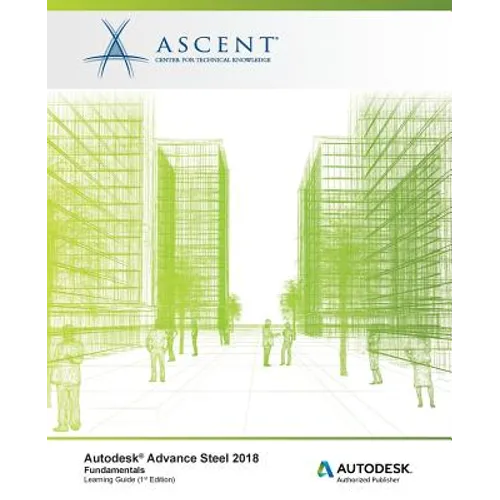
Since structural steel projects are extremely complex, the Autodesk Advance Steel software is also complex. The objective of the Autodesk(R) Advance Steel 2018: Fundamentals learning guide is to enable you to create full 3D project models at a high level of detail and set them up in fabrication drawings. This learning guide focuses on the basic tools that the majority of users need. You begin by learning the user interface, basic 3D viewing tools, and the standard AutoCAD(R) tools that are routinely used. Specific Autodesk Advance Steel objects, including structural columns, beams, bracing, plates, bolts, anchors, welds, and additional 3D objects are also covered. To complete the learning guide, you will learn to generate all of the required documentation files that enable your design to accurately and effectively communicate the final design.
Topics Covered
- Understand the process of 3D modeling and extracting 2D documentation from a model in the Autodesk Advance Steel software.
- Navigate the Autodesk Advance Steel interface.
- Work with 3D viewing tools.
- Review helpful AutoCAD Tools.
- Work with the User Coordinate System (UCS).
- Use the Autodesk Advance Steel Modify commands.
- Add structural grids.
- Create levels.
- Model columns and beams and add bracing.
- Create connections using the Connection Vault.
- Create custom connections.
- Create plates and add bolts, anchors, and welds.
- Add grating and cladding.
- Model ladders, stairs, and railings.
- Create concrete objects such as footings.
- Number objects.
- Extract 2D drawings from the model using Drawing Styles and Drawing Processes.
- Review and modify 2D drawings using the Document Manager.
- Modify 2D details with parametric dimensions.
- Revise models and drawings.
- Create Bill of Materials (BOM) lists.
- Export data to .NC and .DXF files.
Prerequisites
Knowledge of basic AutoCAD tools.
Author Biography
ASCENT develops and produces a wide range of courseware offerings, knowledge products, and courseware for the industry's leading engineering software tools from Autodesk, Dassault Systèmes, and PTC. ASCENT's team is comprised of courseware developers, engineers, instructional designers, architects, and technical writers who work together to create training solutions that work for our clients. Our curriculum group specializes in the creation of blended education programs that incorporate the best of expert-led and technology-based training offerings to create the most effective course content and ensure that users achieve maximum productivity from their chosen engineering tools. We also work to meet our client's needs by offering different levels of customization for classroom-training curriculum.