Skip to content
Welcome To Our Store.
100,000+ Products for Home, Medical, Office & Classroom Needs
Search
Skip to product information
1 of 1

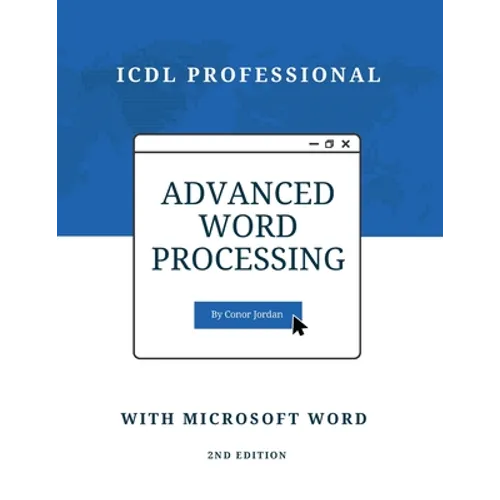
Advanced Word Processing with Microsoft Word: ICDL Professional - Paperback

$23.74 USD
$23.74 USD
Sale Sold out
Shipping calculated at checkout.
In stock (100 units), ready to be shipped

Available Offers

Fastest Delivery Tomorrow With Vip DealOrder within 1 hr 8 mins.

Instant 10% Discount On HDFC Banks Credit/Debit Cards EMI and CreditCard

Secure checkout with
  • American Express
  • Apple Pay
  • Diners Club
  • Discover
  • Google Pay
  • Mastercard
  • PayPal
  • Shop Pay
  • Visa

Flight Range: Up to 1,000 meters (3,280 feet)

Maximum Speed: 45 kilometers per hour (28 miles per hour)

For all orders exceeding a value of 100USD shipping is offered for free.

Returns will be accepted for up to 10 days of Customer’s receipt or tracking number on unworn items. You, as a Customer, are obliged to inform us via email before you return the item.

Otherwise, standard shipping charges apply. Check out our delivery Terms & Conditions for more details.

View Product Details
Shopping cart
Product Product subtotal Quantity Price Product subtotal
Advanced Word Processing with Microsoft Word: ICDL Professional - Paperback
$23.74/ea
$0.00
$23.74/ea $0.00

Product Description

by Conor Jordan (Author)

Advanced Word Processing with Microsoft Word: ICDL Professional provides readers with a guide to the advanced features of Microsoft Word. Filled with practical advice, step-by-step instructions, and revision exercises after each section, this book gives learners a helpful overview of the advanced word processing syllabus as part of the ICDL Professional series of digital skills modules.

Topics covered include:

- Advanced text, paragraph, and document formatting

- Automated features including macros, AutoText, and AutoFormat

- Image, chart, table, and object positioning using text wrapping

- Referencing other works, including articles, websites, books, journals, and reports

- Citations and bibliography styles, tables of contents and figures, captions, indexes, footnotes and endnotes

- Form fields and design

- Document security and protection

- Page setup options including margins, columns, orientation, layout, and sizing

- Review and collaboration features

- Comparing and merging documents

- Proofing document content with spell checking and thesaurus editor

- Linking external data such as spreadsheets and text files

With this helpful guide, learners can build on their existing skillset using Microsoft Word and enhance their career prospects. Readers will gain valuable knowledge of the techniques and skills required to use advanced word processing features effectively. Accompanying resources are available to download from the author's website.

Number of Pages: 176
Dimensions: 0.38 x 11 x 8.5 IN
Publication Date: April 18, 2022
you might like