Skip to content
Welcome To Our Store.
100,000+ Products for Home, Medical, Office & Classroom Needs
Search
Skip to product information
1 of 1

Adobe Premiere Pro CC Keyboard Shortcuts. - Paperback

$13.43 USD
$13.43 USD
Sale Sold out
Shipping calculated at checkout.
In stock (100 units), ready to be shipped

Available Offers

Fastest Delivery Tomorrow With Vip DealOrder within 1 hr 8 mins.

Instant 10% Discount On HDFC Banks Credit/Debit Cards EMI and CreditCard

Secure checkout with
  • American Express
  • Apple Pay
  • Diners Club
  • Discover
  • Google Pay
  • Mastercard
  • PayPal
  • Shop Pay
  • Visa
  • Daily deals
  • Return policy
  • Payment method
  • Help center 24/7

Flight Range: Up to 1,000 meters (3,280 feet)

Maximum Speed: 45 kilometers per hour (28 miles per hour)

For all orders exceeding a value of 100USD shipping is offered for free.

Returns will be accepted for up to 10 days of Customer’s receipt or tracking number on unworn items. You, as a Customer, are obliged to inform us via email before you return the item.

Otherwise, standard shipping charges apply. Check out our delivery Terms & Conditions for more details.

View Product Details
Shopping cart
Product Product subtotal Quantity Price Product subtotal
Adobe Premiere Pro CC Keyboard Shortcuts. - Paperback
$13.43/ea
$0.00
$13.43/ea $0.00

Product Description

by U. C. Books (Author)

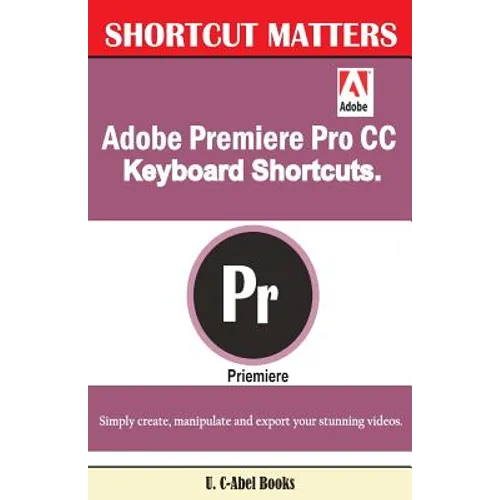
Adobe Premiere Pro CC is turning people to pros indeed in video works through its powerful features. The content of this book is simply keyboard shortcuts & tips for use in Premiere Pro compiled for beginners and professionals who use Premiere Pro.

This book has things to say in the following areas:

  • Fundamental Knowledge of Keyboard Shortcuts: Definition of Computer Keyboard, Ways To Improve In Your Typing Skill, Mouse, Definition Of Keyboard Shortcuts, Why You Should Use Shortcuts.
  • 15 (Fifteen) Special Keyboard Shortcuts.
  • Visual Keyboard Layout for Assigning Keyboard Shortcuts: Color coding, Application shortcuts and panel shortcuts, Shortcut assignment using Drag-and-Drop, Conflict resolution. Default Keyboard Shortcuts in Adobe Premiere Pro CC: File, Edit, Clip, Sequence, Marker, Window, Help, Panels, Tools., Multi-camera, Project Panel, Timeline Panel, Titler, Trim Monitor Panel, Finding Keyboard Shortcuts, Customize or Load Keyboard Shortcuts, Copy keyboard shortcuts from one computer to another, Assign multiple keyboard shortcuts to a command.

    Click "Buy" if you desire to get more productive results from Adobe Premiere Pro CC.

    Author Biography

    U. C-Abel Books is a publishing house that uses Shortcut Matters series to help computer users benefit more from programs, operating systems, and apps they use through the provision of keyboard shortcuts, tips, and techniques related to those programs.
    U. C-Abel Books has compiled and written books for Office Management (Microsoft Office, Google, Corel, Adobe etc.), Operating Systems (beginning from Windows 7 to later versions), Video Editing Programs (Premier Pro, Corel Video Studio, After Effect, etc.), Email Service Providers (Gmail, Apple Icloud mail, Yahoomail, GMX mail, Outlook, Zoho mail, Hushmail, Fastmail, Yandex mail, AOL mail, etc.), Internet Browsers (Safari, Firefox, Chrome, Opera, UC, Maxthon, Edge, Dolphin, Avant, Explorer, etc.), Graphics Editors (Photoshop, GIMP, Photo-Paint, Lightroom, CorelDraw, Corel Painter, Adobe Illustrator, and Corel PaintShop), Desktop Publishing packages (Serif Page Plus, Microsoft Publisher, Adobe Indesign, Scribus, etc.) Spreadsheet Operation (Microsoft Excel, Corel Quattro Pro, Google Sheet, etc.) Database Management (Oracle RDMS, My SQL, Ms. Access, etc.), Presentation Programs (Microsoft PowerPoint, Corel Presentation, Google Presentation, etc.) Word Processors (Microsoft Word, Corel WordPerfect, Google Docs, Open Office Writer, etc.) Accounting Packages (Quick Book, Sage, Microsoft Dynamics, etc.), plus many others.
    The aim of Shortcut Matters is to narrow the gap between computer users and their keyboard.

    Number of Pages: 72
    Dimensions: 0.15 x 8.5 x 5.5 IN
    Publication Date: February 03, 2017
  • you might like