Solidworks 2018: A Power Guide for Beginners and Intermediate Users - Paperback
Available Offers
Fastest Delivery Tomorrow With Vip DealOrder within 1 hr 8 mins.
Instant 10% Discount On HDFC Banks Credit/Debit Cards EMI and CreditCard
Couldn't load pickup availability
Product Details
Flight Range: Up to 1,000 meters (3,280 feet)
Maximum Speed: 45 kilometers per hour (28 miles per hour)
Shipping And Return
For all orders exceeding a value of 100USD shipping is offered for free.
Returns will be accepted for up to 10 days of Customer’s receipt or tracking number on unworn items. You, as a Customer, are obliged to inform us via email before you return the item.
Otherwise, standard shipping charges apply. Check out our delivery Terms & Conditions for more details.
Product Description
by Cadartifex (Author)
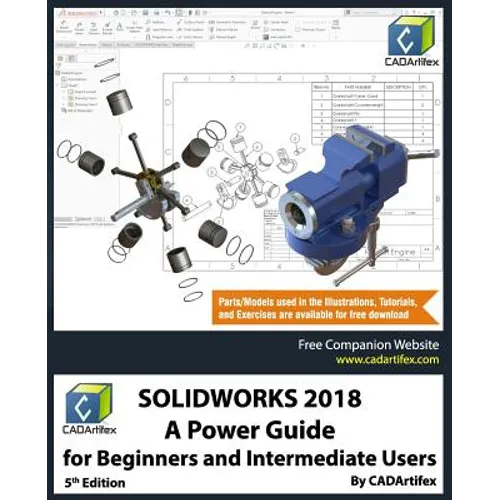
SOLIDWORKS 2018: A Power Guide for Beginners and Intermediate User textbook is designed for instructor-led courses as well as for self-paced learning. It is intended to help engineers and designers interested in learning SOLIDWORKS for creating 3D mechanical design. This textbook is a great help for new SOLIDWORKS users and a great teaching aid in classroom training. This textbook consists of 14 chapters, total 782 pages covering major environments of SOLIDWORKS: Sketching environment, Part modeling environment, Assembly environment, and Drawing environment, which teach you how to use the SOLIDWORKS mechanical design software to build parametric models and assemblies, and how to make drawings of those parts and assemblies. This textbook also includes a chapter on creating multiple configurations of a design.
This textbook not only focuses on the usages of the tools/commands of SOLIDWORKS but also on the concept of design. Every chapter of this textbook contains tutorials which instruct users how things can be done in SOLIDWORKS step by step. Moreover, every chapter ends with hands-on test drives which allow users to experience themselves the ease-of-use and powerful capabilities of SOLIDWORKS. Table of Contents:Chapter 1. Introduction to SOLIDWORKS
Chapter 2. Drawing Sketches with SOLIDWORKS
Chapter 3. Editing and Modifying Sketches
Chapter 4. Applying Geometric Relations and Dimensions
Chapter 5. Creating First/Base Feature of Solid Models
Chapter 6. Creating Reference Geometries
Chapter 7. Advanced Modeling - I
Chapter 8. Advanced Modeling - II
Chapter 9. Patterning and Mirroring
Chapter 10. Advanced Modeling - III
Chapter 11. Working with Configurations
Chapter 12. Working with Assemblies - I
Chapter 13. Working with Assemblies - II
Chapter 14. Working with Drawings Main Features of the Textbook